Permissions
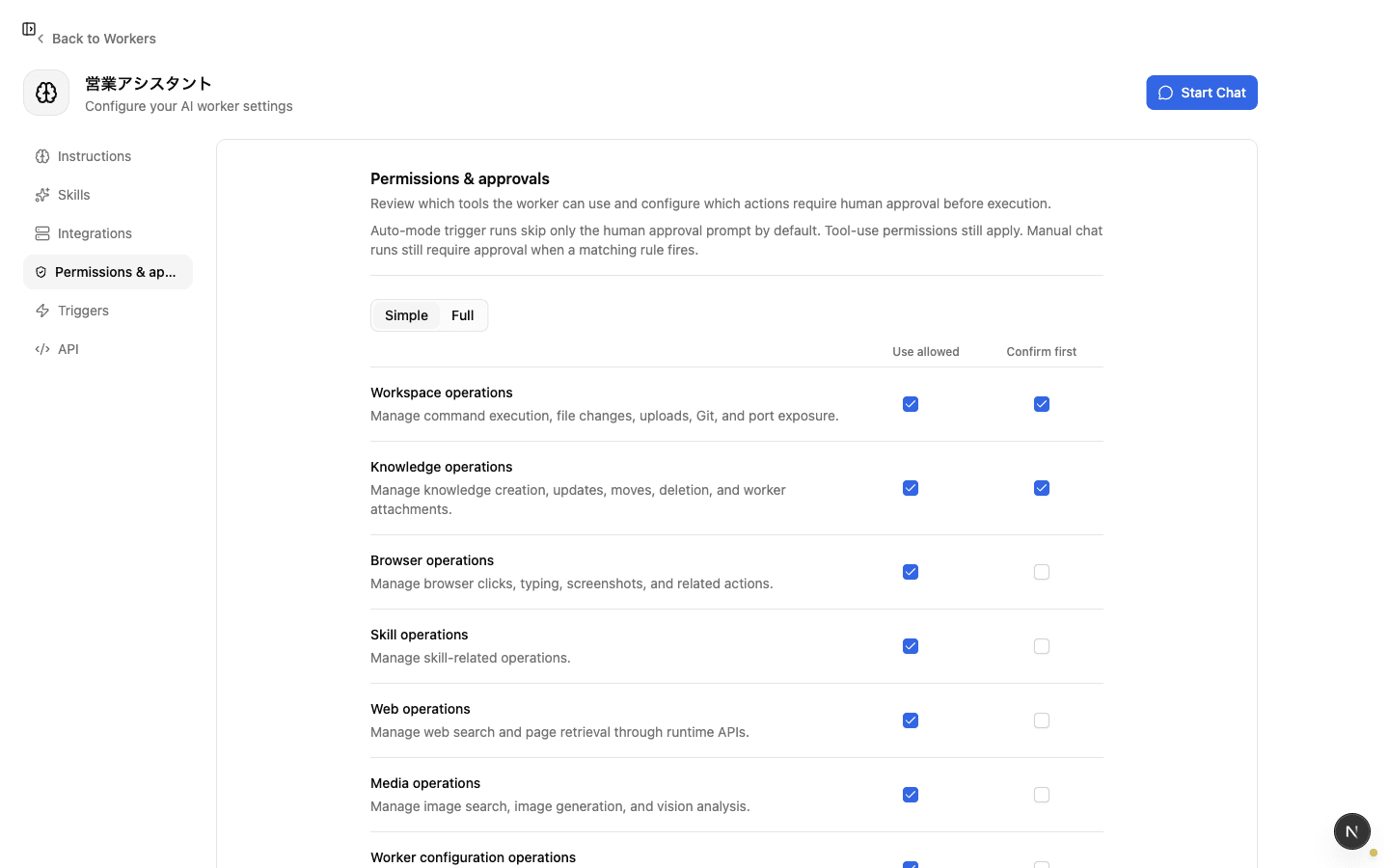
Permissions decide which tools an AI worker can call at all. Pre-execution approval is an additional check for allowed operations, but permissions are the earlier boundary. If a worker should never use a tool, turn off its permission instead of relying on approval to stop it every time.
Overview
How to limit the tools and integrations an AI worker can use so work-specific boundaries are in place before any approval flow is considered.
Basics
Start with the allowed-to-use boundary
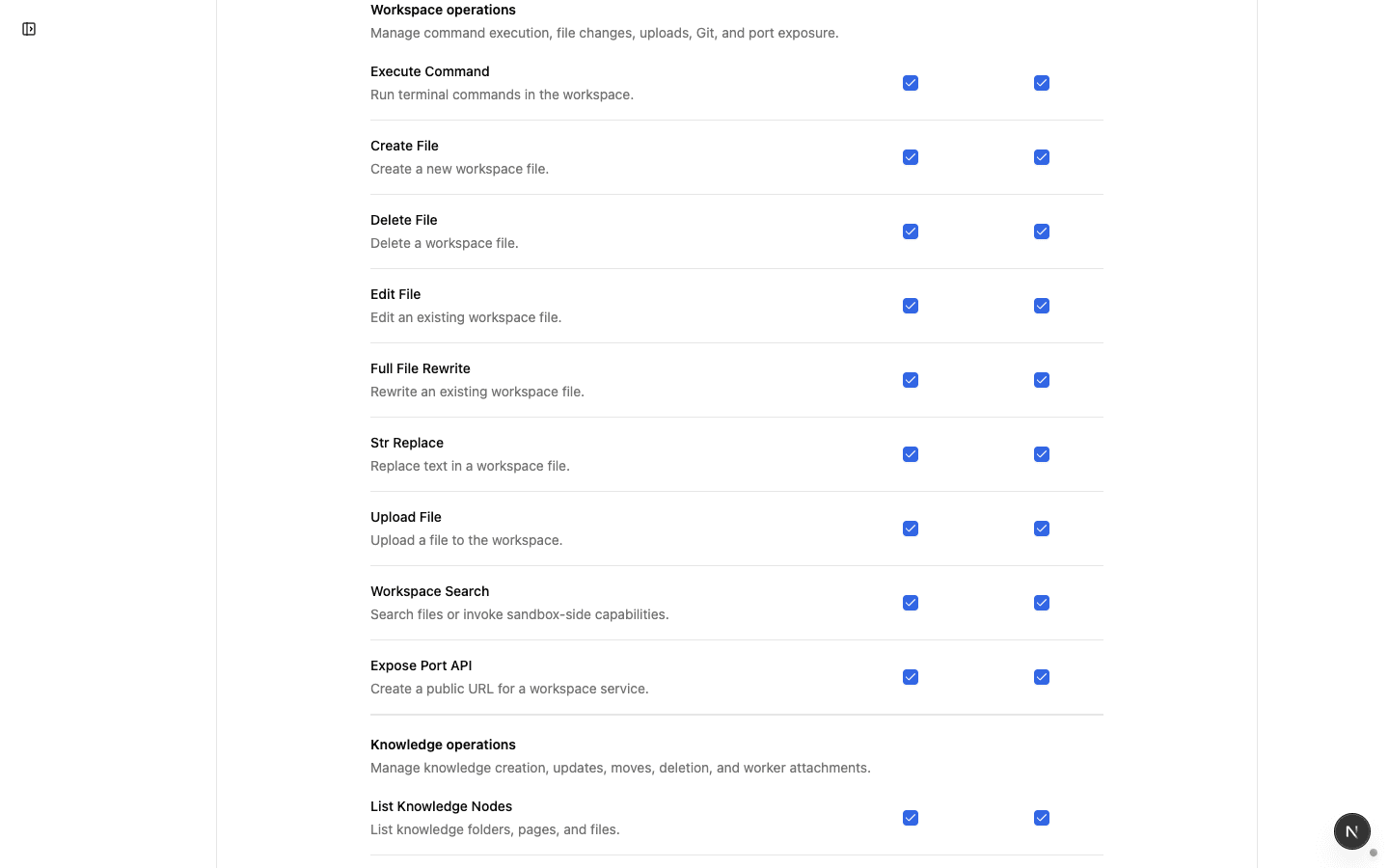
In the worker's Permissions and Approvals settings, each tool has an Allowed to use switch. If it is off, the worker cannot call that tool, with or without approval.
Decision rules:
- Enable only the tools this worker truly needs
- Do not give read-only workers update, delete, or send tools
- Keep meta-skills and external SaaS operations limited to workers with a clear purpose
Making the available surface small first keeps operations more predictable than approving every risky tool call later.
Check skills and integrations separately
A worker's capability comes from both skills and integrations.
- Skills: procedures that run inside Zemu. Meta-skills such as
knowledge-managerandskill-managercan change knowledge or Zemu configuration - Integrations: connections to external systems such as Slack, Notion, GitHub, or MCP servers
When reviewing what a worker can do, check both the Skills tab and the Integrations tab. Looking at only one side makes it easy to miss the real operating scope.
Use permissions to block, approvals to review
Do not mix operations the worker should never do with operations it may do after review.
- Never allow: turn the permission off
- Allow, but review first: turn permission on and enable pre-execution approval
- Low-risk automation: turn permission on without approval
This split keeps routine automation moving while preserving a clear boundary around sensitive actions.
Review permissions periodically
When a worker's purpose changes or integrations are added, review its permissions too. Removing tools and connections that are no longer needed keeps the worker close to the minimum scope its job requires.
Checklist
Are only the skills and integrations this worker truly needs enabled?
Are update, delete, send, or configuration-changing tools absent from read-only workers?
Can you explain which operations are blocked and which are allowed after approval?