Inbound Channels
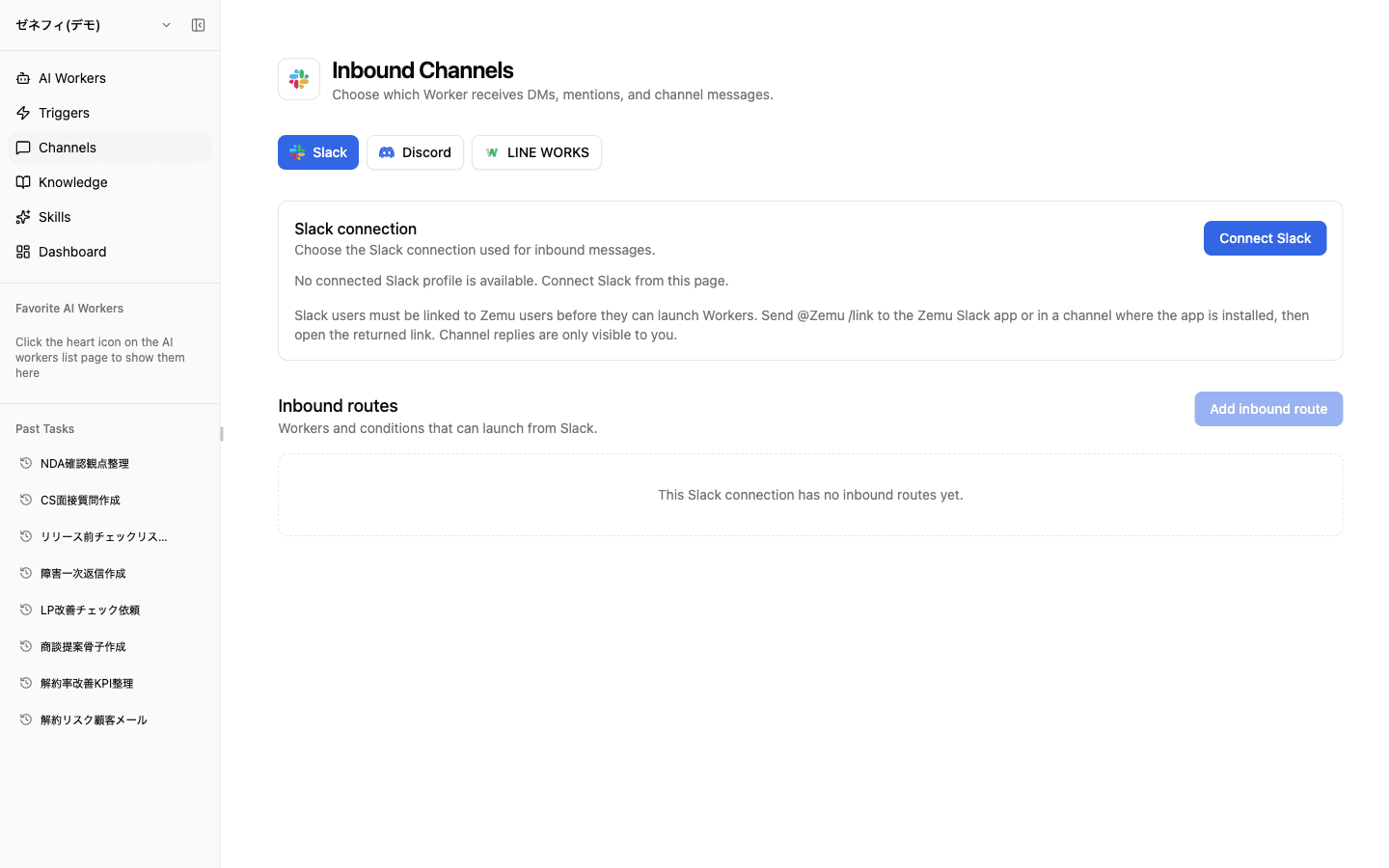
Inbound Channels are how human messages from Slack, Discord, and LINE WORKS reach Zemu AI workers. It lives on a separate page from Triggers, and the design splits into two layers — a connection profile (OAuth) and Channel Routes (which posts go to which worker, under what conditions). Getting that two-layer model is the first step.
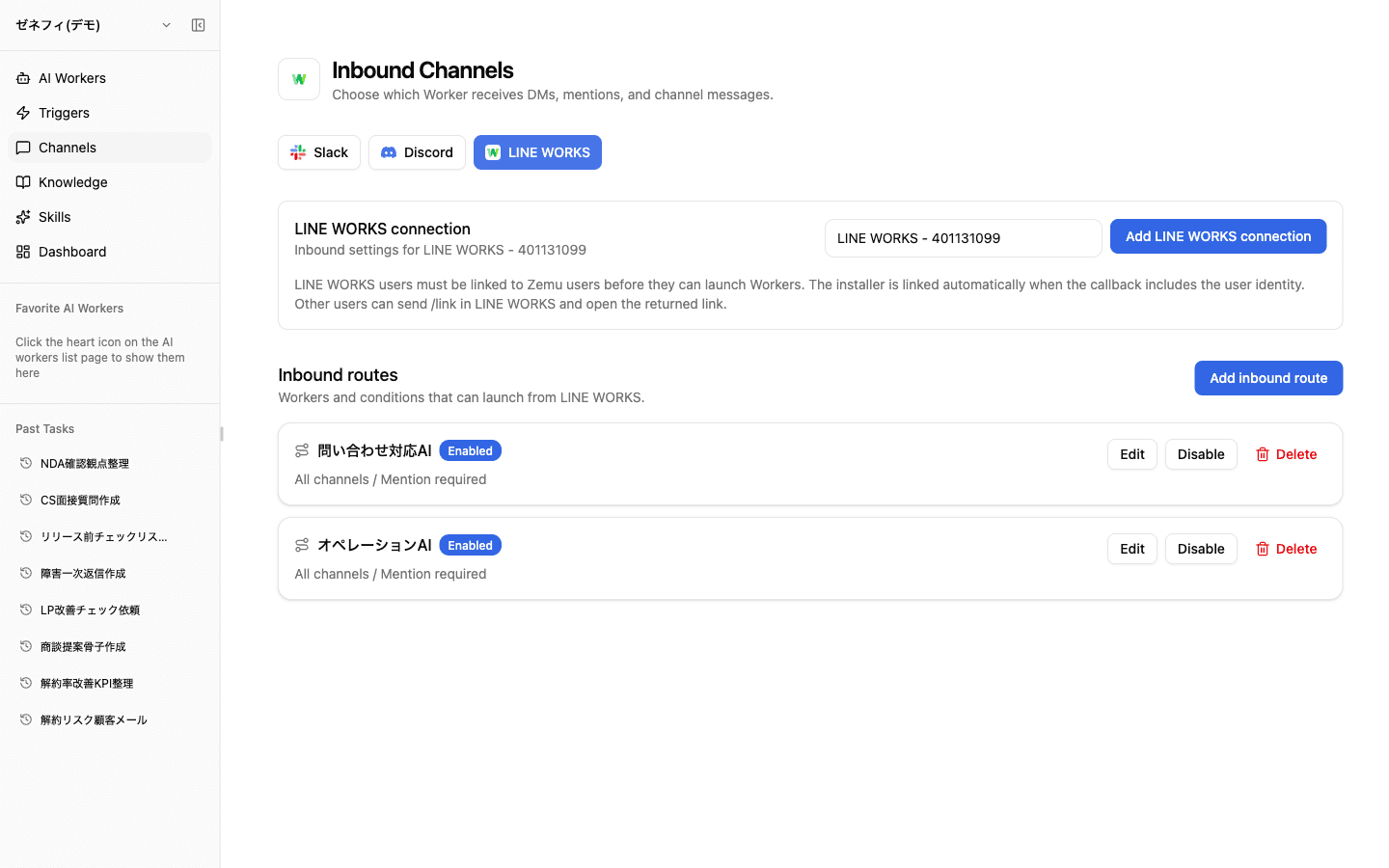
Overview
The connection-profile vs Channel-Route layers, the launch-condition matrix, what happens when multiple routes match, and per-Slack-user thread isolation.
Basics
Three providers, two layers (Connection Profile + Channel Route)
The top tabs switch between Slack / Discord / LINE WORKS. Under each provider you manage two layers.
- Connection Profile — OAuth into the external system. Multiple workspaces or accounts mean multiple profiles.
- Channel Route — for posts received through that profile, which conditions launch which worker.
Note: an OAuth connection alone is not enough. If there is no Channel Route under the profile, messages arrive but no worker is launched. If "I connected Slack but nothing happens," check whether a Channel Route is wired up.
Channel Route fields (DM / channel / mention)
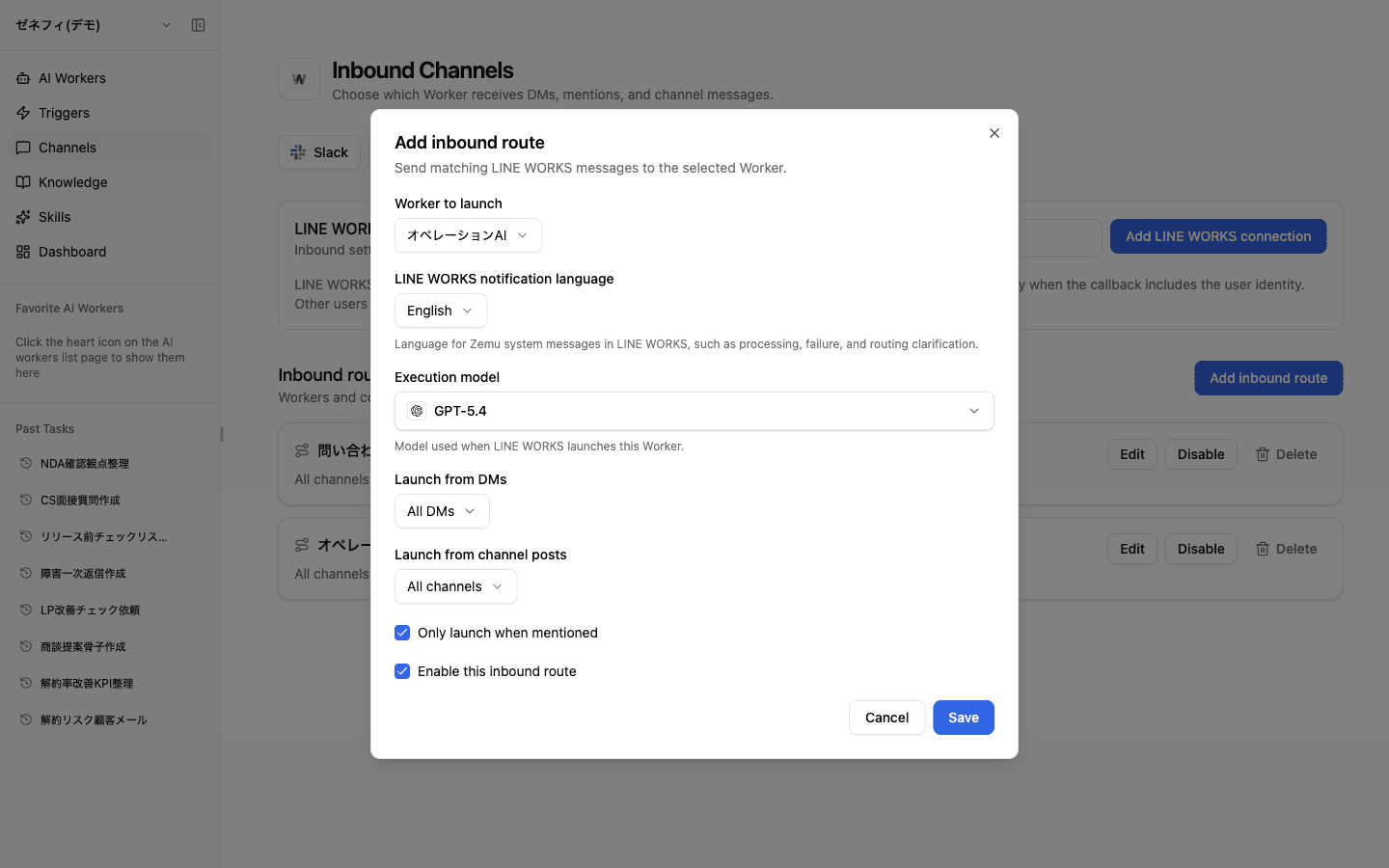
Each Channel Route is configured with these fields:
- Worker to launch — which worker handles the message
- Notification language — language for Zemu's system notifications (processing, failure, route disambiguation). This is not the worker's reply language.
- Execution model — model used when this route launches the worker
- Launch from DMs — All DMs / allowlist / pairing / disabled
- Launch from channel posts — All channels / selected channels / disabled
- Only launch when mentioned — react to every post or only @-mentions
- Enable this inbound route — on/off
Notification language and execution model are per-route, so even one Slack workspace can fan out into different workers × different models × different notification languages by use case. Slack and Discord pull channel lists from the API; users do not type channel IDs by hand.
What happens when multiple routes match
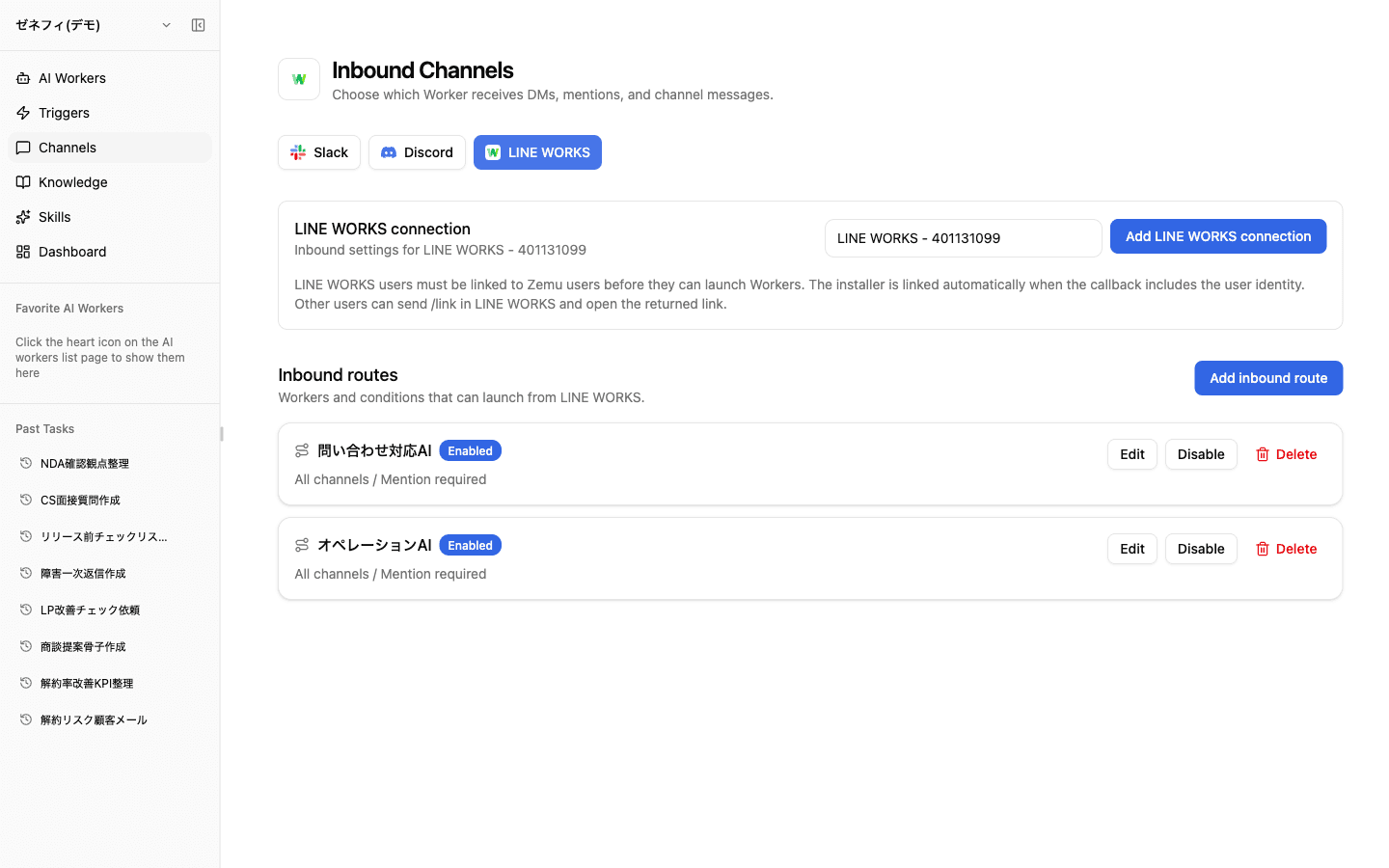
One connection profile can host multiple Channel Routes. The screenshot above shows Inquiry Response AI and Operations AI both attached to the same LINE WORKS connection.
When a single post matches more than one route:
- If the message body contains a worker name, that worker wins.
- Otherwise Zemu tries to narrow the candidates to one.
- Zemu never silently fan-outs to multiple workers — if it cannot decide, it replies with the candidate worker names so the user picks.
This is intentional: it supports "one channel, multiple workers depending on intent." If you want a strict 1-channel-1-worker setup, require @-mention plus include the worker name in the prompt template.
User linking and per-Slack-user thread isolation
To launch a worker from external chat, the Slack/Discord/LINE WORKS user must be linked to a Zemu user. Each provider screen explains how: post @Zemu /link in a channel where the app is installed, or send /link via DM, then open the returned URL.
Less obvious but important: the binding between a Slack thread and a Zemu project/thread is per Slack user.
- Same Slack user, same Slack thread → the existing Zemu project/thread is reused.
- A different Slack user joins the same thread → a separate Zemu project is created for that user.
This is why "the same thread is becoming a separate conversation" — it is the spec, not a bug. When the new project is created, Zemu pulls the recent Slack thread history once as starting context.
Checklist
Have you created a connection profile for the right provider (Slack / Discord / LINE WORKS)?
Is at least one Channel Route wired under that profile? OAuth alone won't launch anything.
If a profile has multiple routes, have you told users that the worker name in the message body decides who runs?