Billing
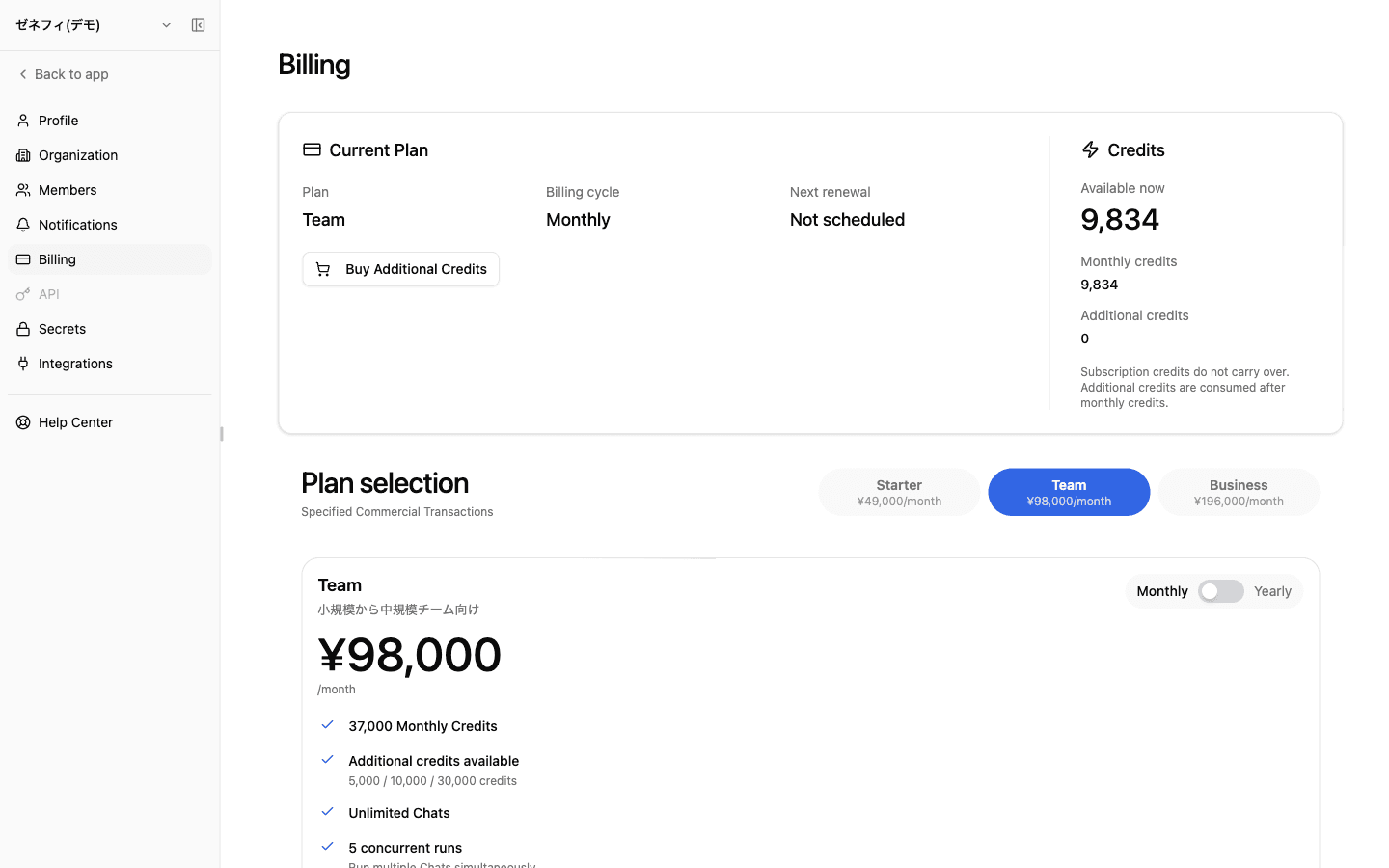
Zemu billing has two surfaces: the Dashboard tracks credit consumption, and Settings → Billing manages the plan. Every AI worker run, model call, and external tool call is paid in credits. The traps people hit are "monthly credits don't roll over," "additional credits are spent only after monthly credits are exhausted," and "Next renewal: not scheduled does not mean immediate cutoff."
Overview
How the Dashboard (consumption) and Billing settings (plan management) split, why monthly credits do not roll over, when additional credits get consumed, and the post-payment sync delay.
Basics
Dashboard — make consumption visible
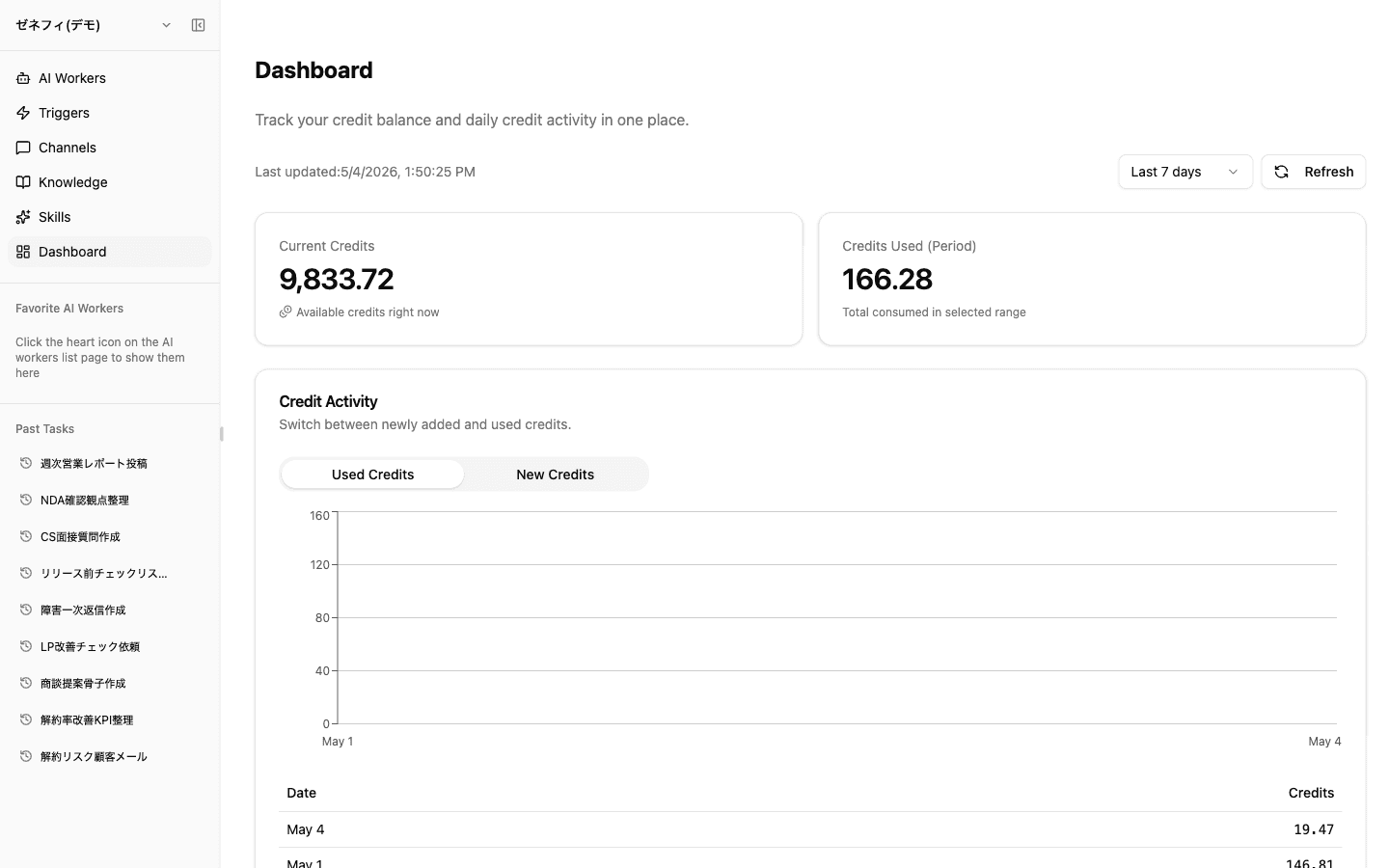
The Dashboard (/dashboard) is for tracking consumption.
- Current Credits — what you can spend right now
- Credits Used (Period) — total consumed in the selected range
- Period filter — Last 7 days / Last 30 days / etc.
- Credit Activity chart — toggles between Used Credits and New Credits, with a daily table for per-day consumption
If Zemu "feels slow" or automations stop, this is where you confirm whether consumption spiked. A low balance can also stop scheduled triggers and inbound-channel runs without obvious error messages.
Billing settings — what the plan-management screen can show and change
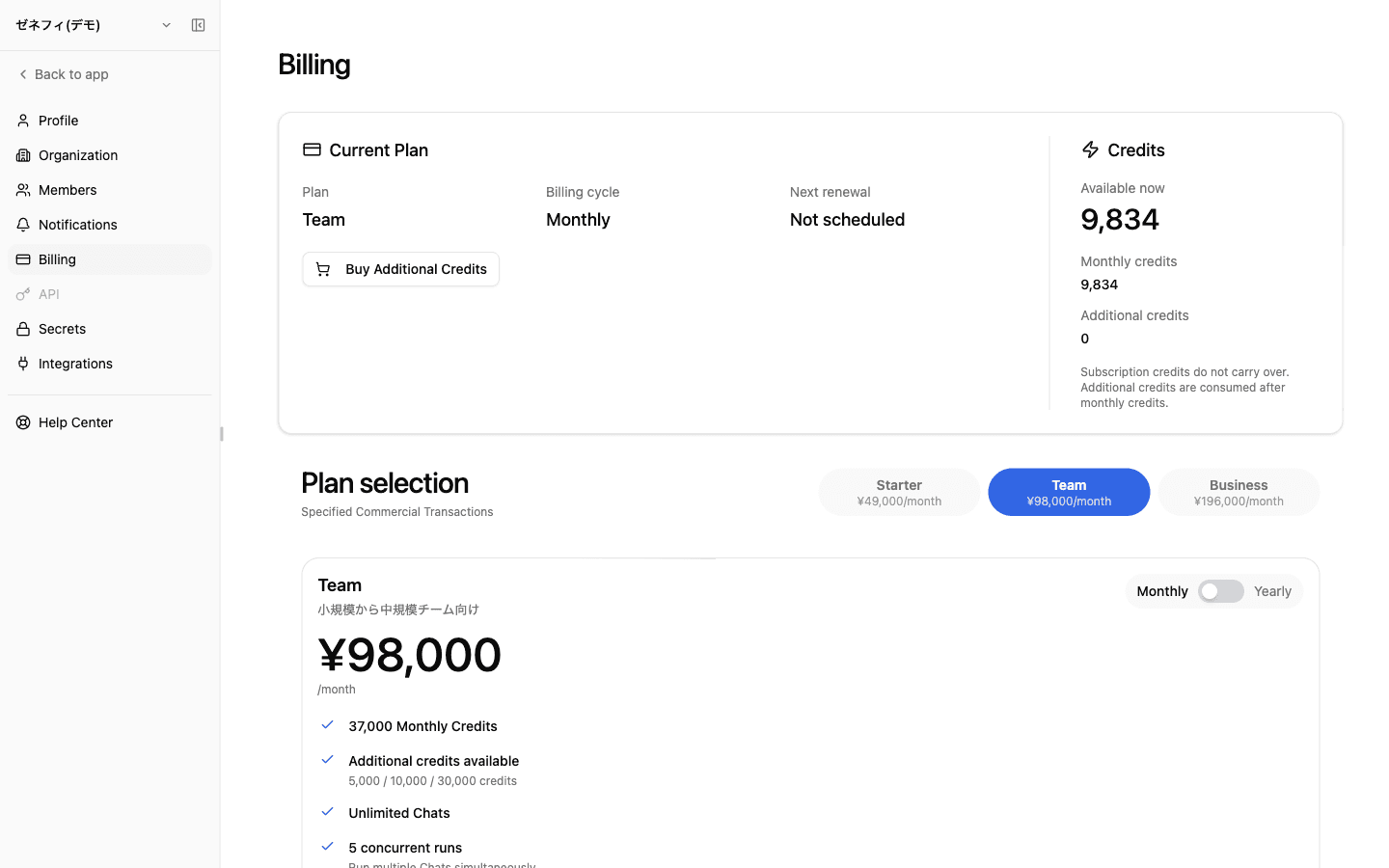
Settings → Billing (/settings/billing) is where you manage the plan.
What you can check or change here:
- Current plan and billing cycle (Monthly)
- Next renewal date and scheduled downgrades / cancellations
- Monthly credits and additional credits balances
- Plan selection (Starter / Team)
- Manage Subscription (billing portal) and Buy Additional Credits
Each plan's price, monthly-credit allocation, and concurrency limit are shown on the plan-selection cards in /settings/billing — check there for the current values.
Two credit kinds and consumption order (monthly first, then additional)
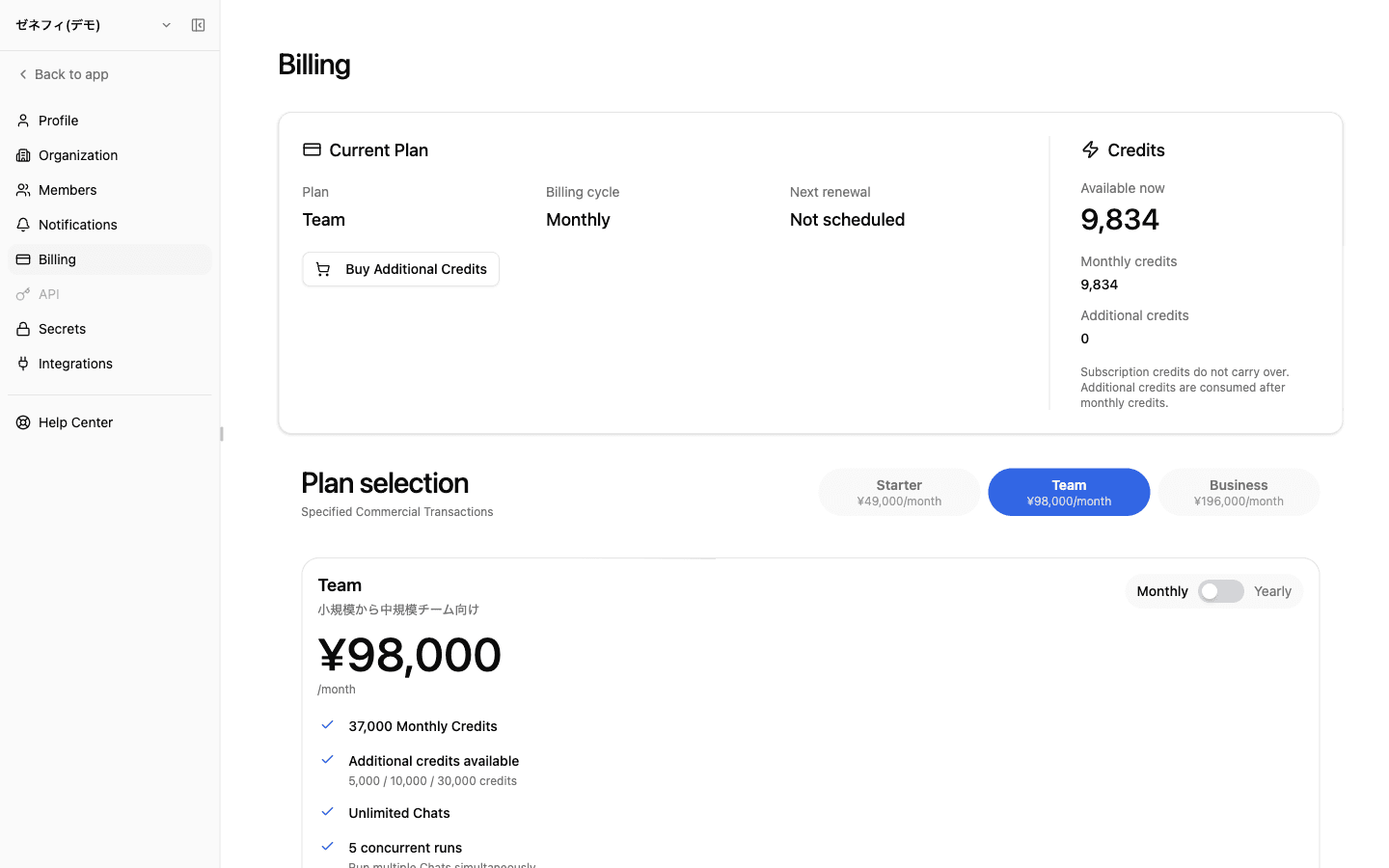
Credits come in two kinds.
- Monthly Credits — granted by the subscription each month. Do not roll over (the screen says: "Subscription credits do not carry over.")
- Additional Credits — bought via Buy Additional Credits; not subject to month-end forfeit (each lot has its own expiration policy)
Consumption order: monthly credits are spent first; additional credits start being consumed only after monthly credits are exhausted. Because unused monthly credits expire at month end, frontloading work or topping up with additional credits late in the month can actually cost less in practice than spreading high-volume runs evenly.
The right-hand card on Settings → Billing shows three values — Available now, Monthly credits, and Additional credits — so you can see how much of the monthly grant remains and how much extra you have on top.
"Next renewal: not scheduled" and the payment sync delay
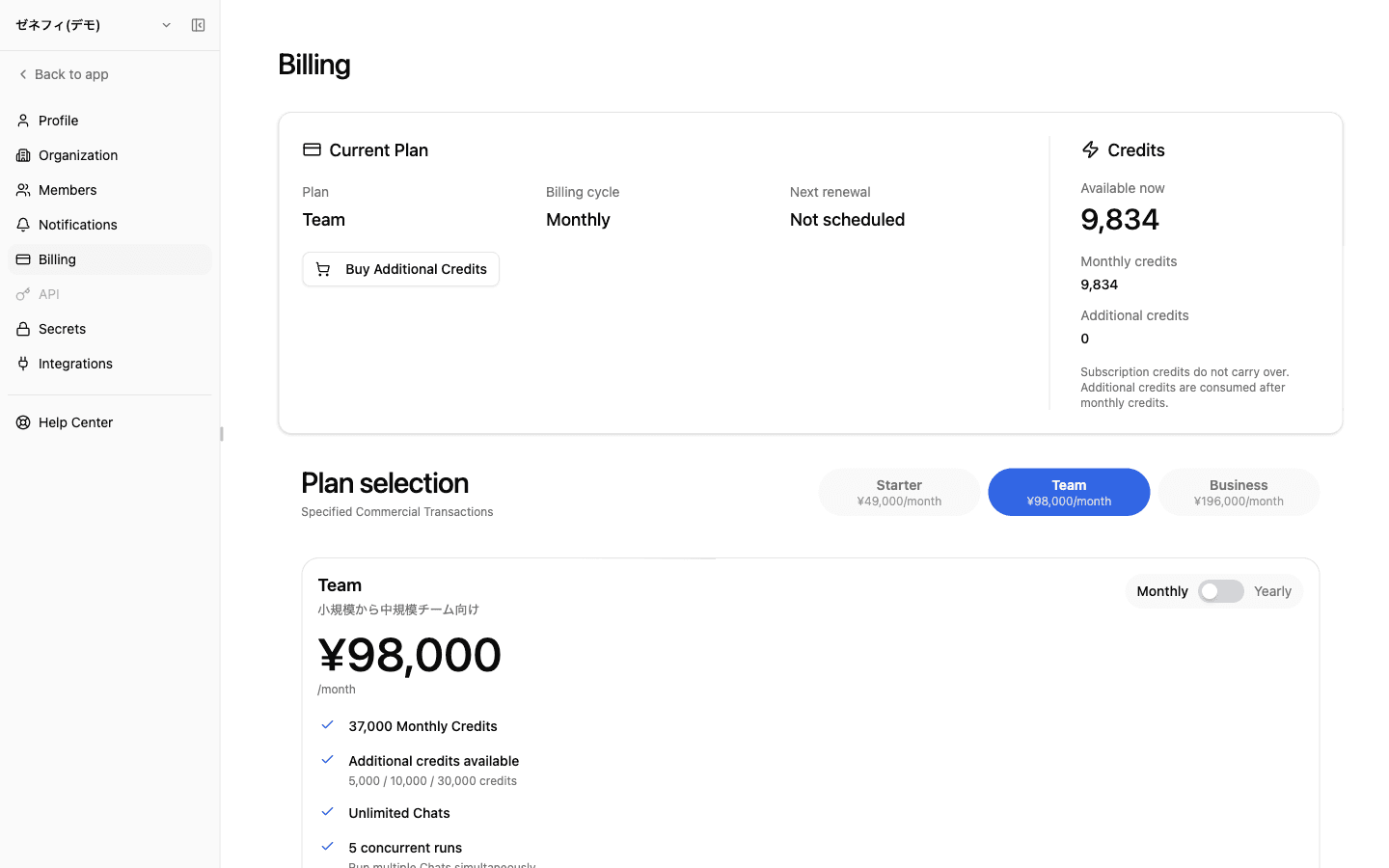
Two displays on Settings → Billing that catch people:
- Next renewal: Not scheduled — auto-renew is not configured. The current month's credits still work, but unless you reschedule from Manage Subscription before month-end, next month's monthly credits will not be granted.
- Scheduled downgrade / cancellation — appears in a dedicated card with the effective date. Until that date, full features remain.
Post-payment sync delay:
- After a Checkout success, it takes seconds to tens of seconds for the app UI to reflect the change
- If it does not appear: (1) reload the page, (2) check the billing portal subscription status, (3) check the effective date of scheduled changes
Plan limits to know about: project count / thread count / AI worker count / scheduled-trigger count / app-trigger count / custom-MCP count all have caps. When execution is blocked, do not look only at credits — confirm none of these limits is hit.
Checklist
Are you watching Current Credits / Credits Used trends on the Dashboard and noticing spikes early?
Do you and your team know that monthly credits do not roll over, and that additional credits are only consumed after monthly credits run out?
Do you double-check at month-end and right after payments that "Next renewal" is set and post-payment sync has completed?