Skills
Skills add reusable procedures to AI workers. The pieces people miss in order: (1) the built-in catalog is hard to keep in your head, (2) some built-ins are 'meta-skills' that let workers reshape Zemu itself, (3) the three custom-skill on-ramps each fit a different scenario, and (4) Workflow Skill is a different runtime mode from regular skills.
Overview
What the official built-in skills cover, the meta-skill family (agent-builder / skill-manager / etc.), three custom-skill paths, and how Workflow Skills differ from regular ones.
Basics
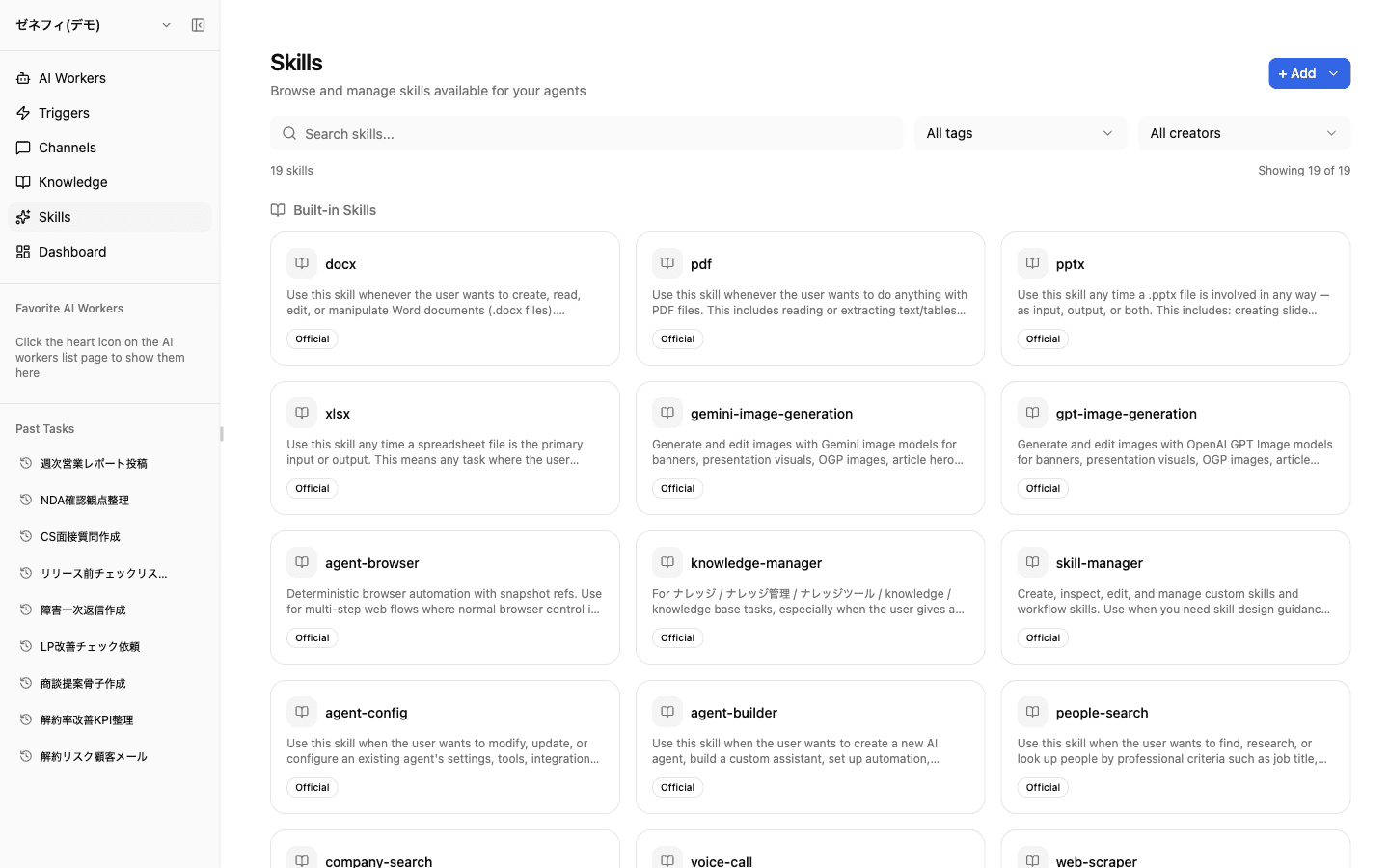
Official built-in skills
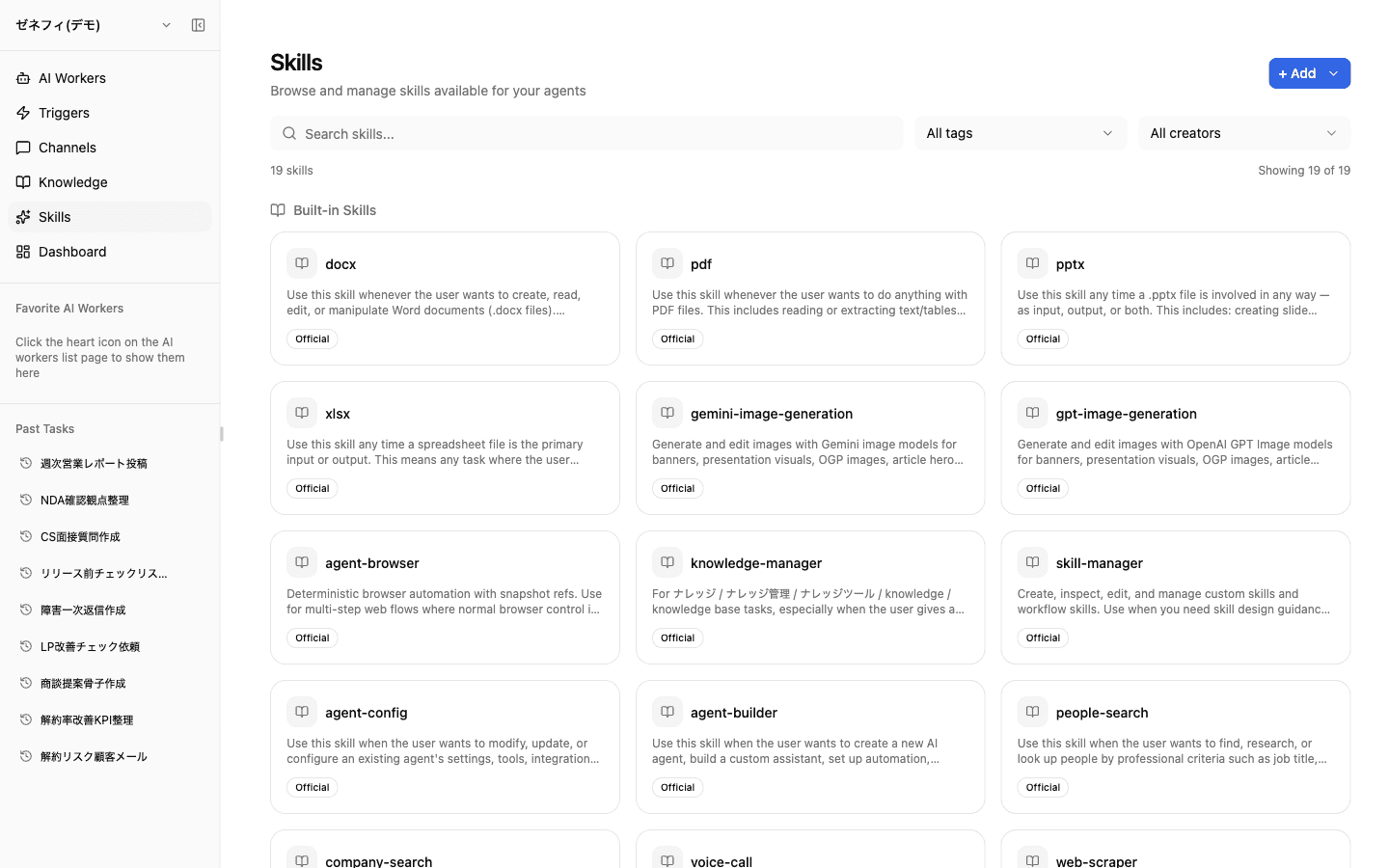
The dashboard Skills page lists Zemu's official built-in skills, all marked with the "Official" badge. Grouped by job:
- File ops:
docx/pdf/pptx/xlsx - Image generation:
gemini-image-generation/gpt-image-generation - Agent operations (meta-skills):
agent-builder/agent-config/skill-manager/knowledge-manager - Search & research:
people-search/company-search/web-scraper - Voice & comms:
voice-calland others
New workers start with a default set of enabled skills, which you can add to or remove per worker afterward. Filter the catalog by search, tag, or creator.
Meta-skills let workers reshape Zemu itself
Four built-ins — agent-builder, agent-config, skill-manager, knowledge-manager — are meta-skills that change Zemu's own configuration.
- agent-builder: create new workers (instructions, skills, integrations included)
- agent-config: change settings on existing workers
- skill-manager: create / inspect / edit custom skills
- knowledge-manager: read and write the knowledge tree
A worker with these enabled can be asked in plain language to "create a new worker for X" or "edit this skill" and it will rewrite Zemu's setup. Conversely, workers without meta-skills cannot modify Zemu — useful as the default permission boundary for end-user-facing workers.
Three on-ramps for custom skills
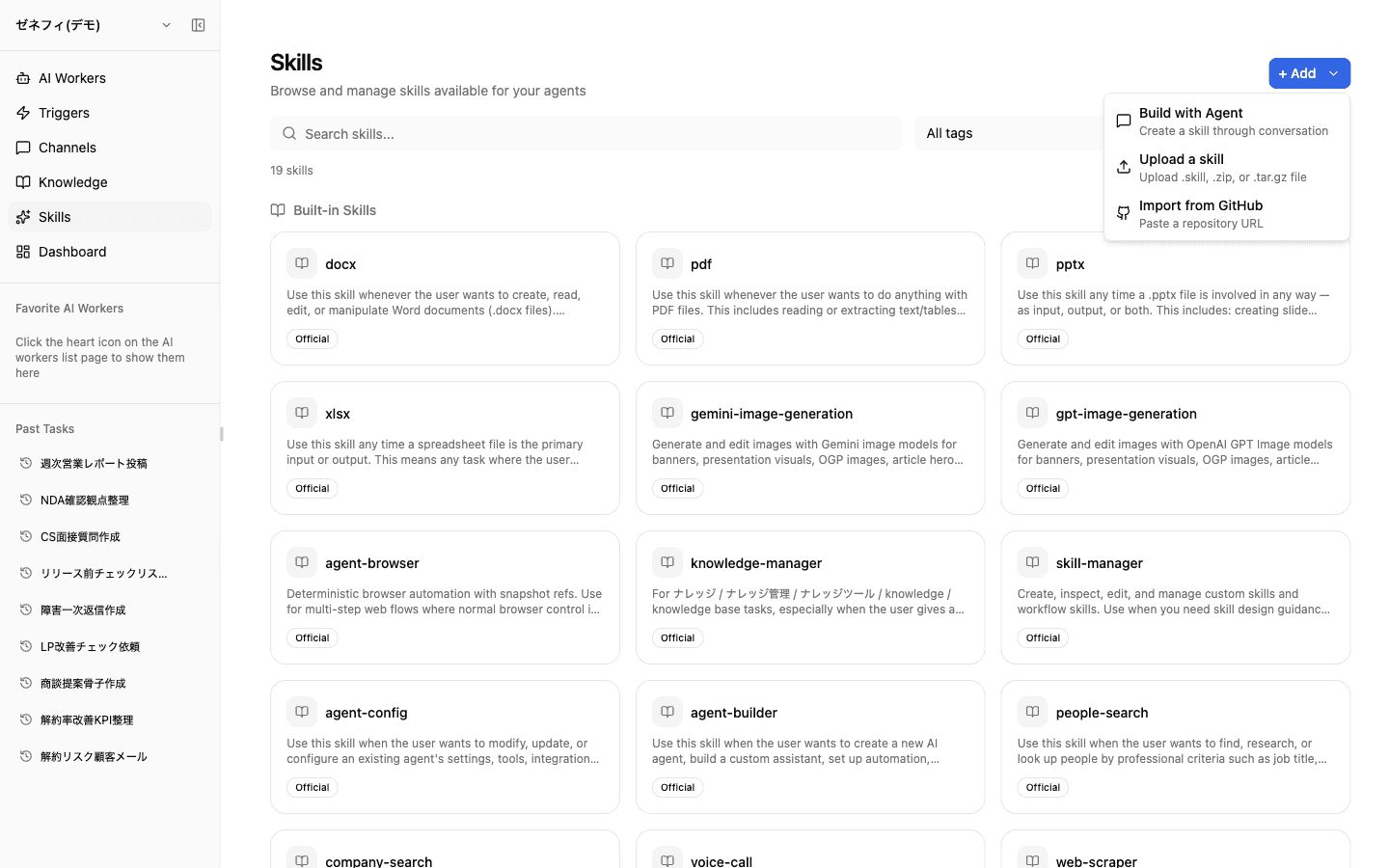
The + Add menu in the top right offers three creation paths.
- Build with Agent: ask Zemu in chat to skill-ify a procedure; a worker holding
skill-managerwrites the SKILL.md and workflow definition for you - Upload a skill: upload
.skill/.zip/.tar.gzpackages — best for moving skills between environments - Import from GitHub: paste a repo URL; a directory containing
SKILL.mdis pulled in as a skill
A common shape: prototype the skill via chat, then move ownership into a Git repo and import from GitHub for change history and reviews.
Workflow Skill — runs end-to-end from a trigger
Regular skills are called partially by a worker when it judges they are needed. A Workflow Skill is invoked whole: the predefined sequence runs from start to finish.
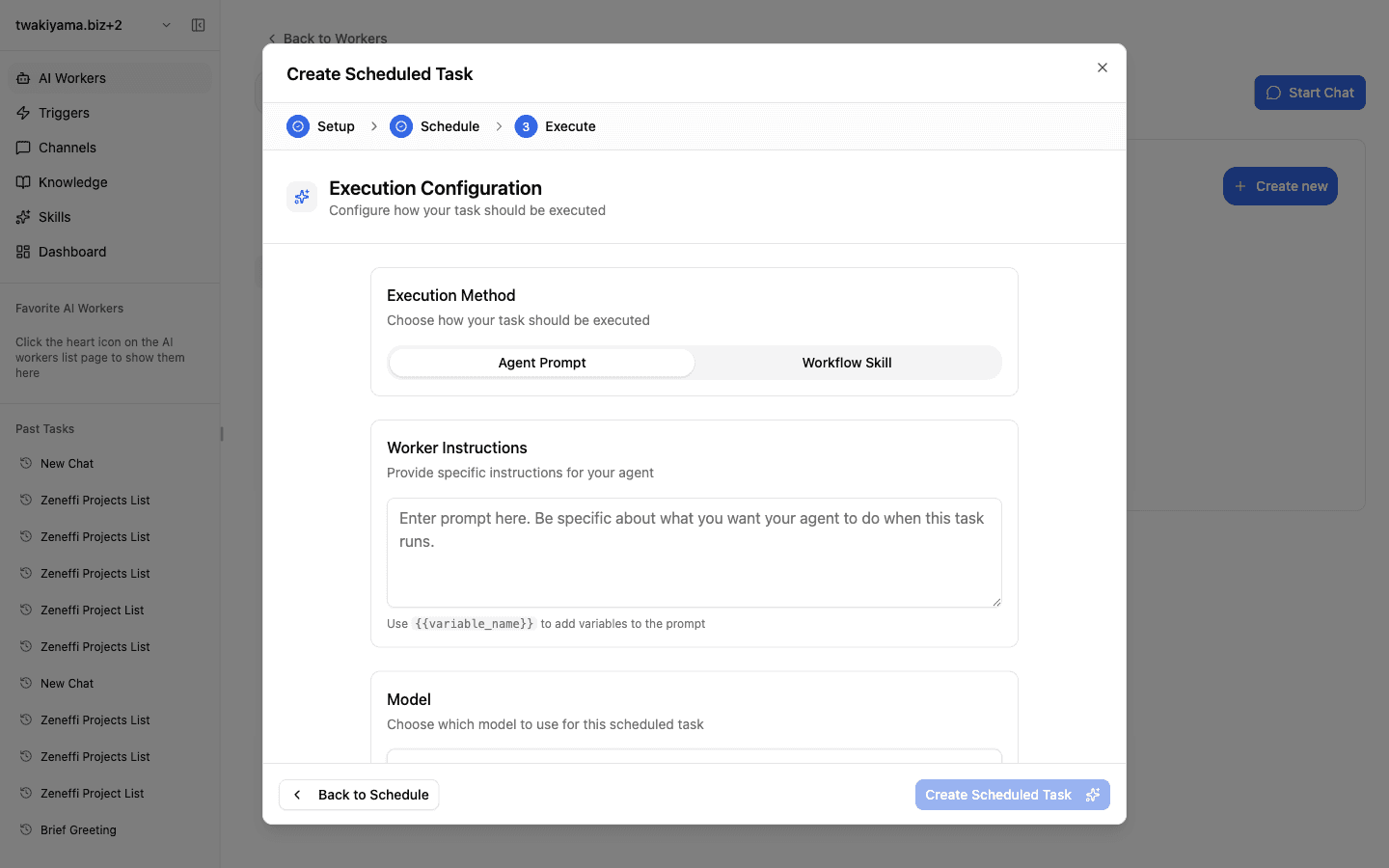
In the schedule-trigger creation dialog, switching the execution-method toggle to workflow_skill selects the Workflow Skill at trigger time and runs its steps in order — distinct from agent_prompt which hands a prompt to the worker.
Decision rule: does the work change every run, or is it always the same?
- Steps are fixed → use a Workflow Skill from the trigger; updating the skill propagates to every trigger that calls it (easier maintenance)
- Inputs vary → use
agent_prompt, where the worker interprets the prompt at runtime
When multiple triggers should share the same logic (weekly + monthly reports, for example), keep the Workflow Skill single and pass the date range as a parameter from each trigger.
Checklist
On each worker's Skills tab, can you list every enabled skill and explain why it is on?
Is the boundary between workers with meta-skills (
agent-builderetc.) and workers without them deliberate, not accidental?When automating a recurring task, do you have a rule for choosing Workflow Skill vs. agent prompt?