Permissions and Approvals
Permissions and Approvals separate the tools an AI worker may use from the operations a person must confirm before execution. Instead of slowing everything down, you can keep low-risk reads automatic and require approval only for higher-impact actions such as knowledge updates, deletions, external-service writes, or shared-data changes.
Overview
How to decide which tools a worker may use, which actions should wait for human approval, and what happens when a run pauses for review.
Basics
Allowed tools and pre-execution approval are different
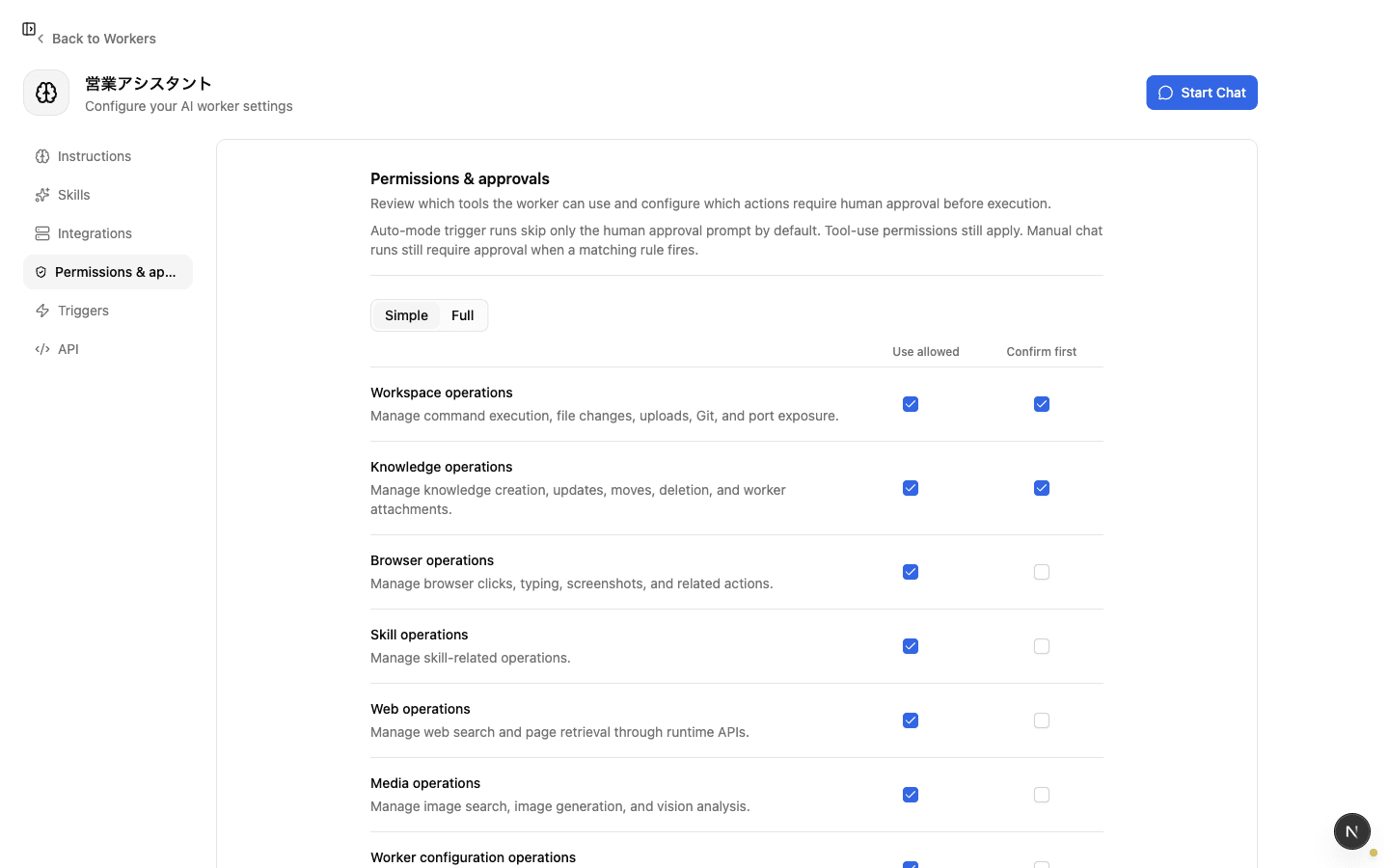
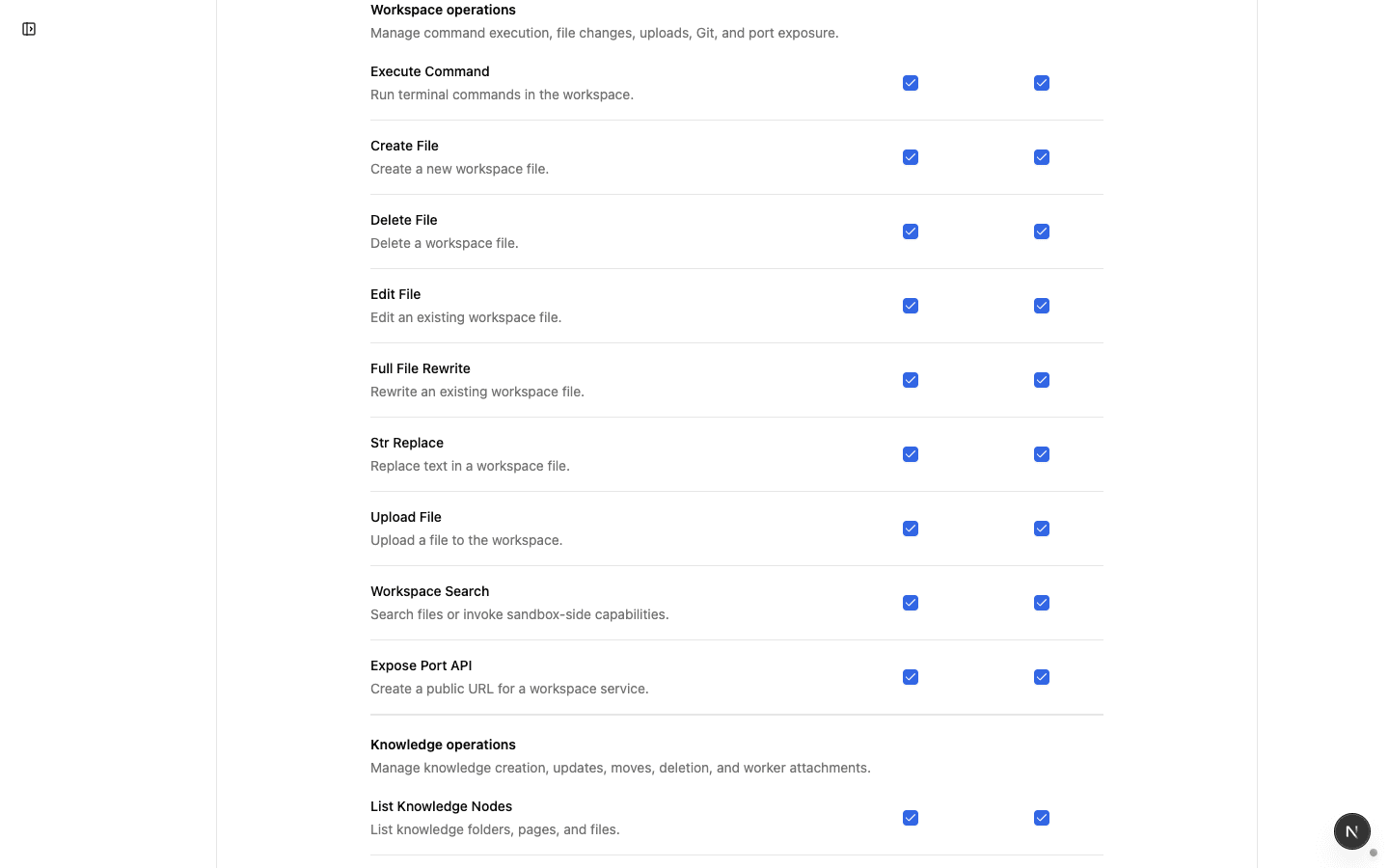
In a worker's Permissions and Approvals settings, each tool has two separate decisions.
- Allowed to use: whether the worker can call the tool at all. If this is off, the tool cannot run, with or without approval.
- Confirm before execution: whether an allowed tool should pause and wait for human approval right before it runs.
Approval is an extra check on top of permission. Turn off tools the worker should never use, and turn on pre-execution confirmation only for tools the worker may use but whose payload should be reviewed.
Actions that usually deserve approval
Use the blast radius of a mistake as the decision rule.
Good approval candidates:
- Creating, updating, or deleting knowledge
- Writing to, sending through, or deleting from external SaaS
- Changing shared databases or spreadsheets
- Changing settings through Custom MCP or meta-skills
If every read-only lookup requires approval, automation slows down quickly. Start with actions that are hard to undo, leave the organization, or affect multiple people.
What happens when approval is required
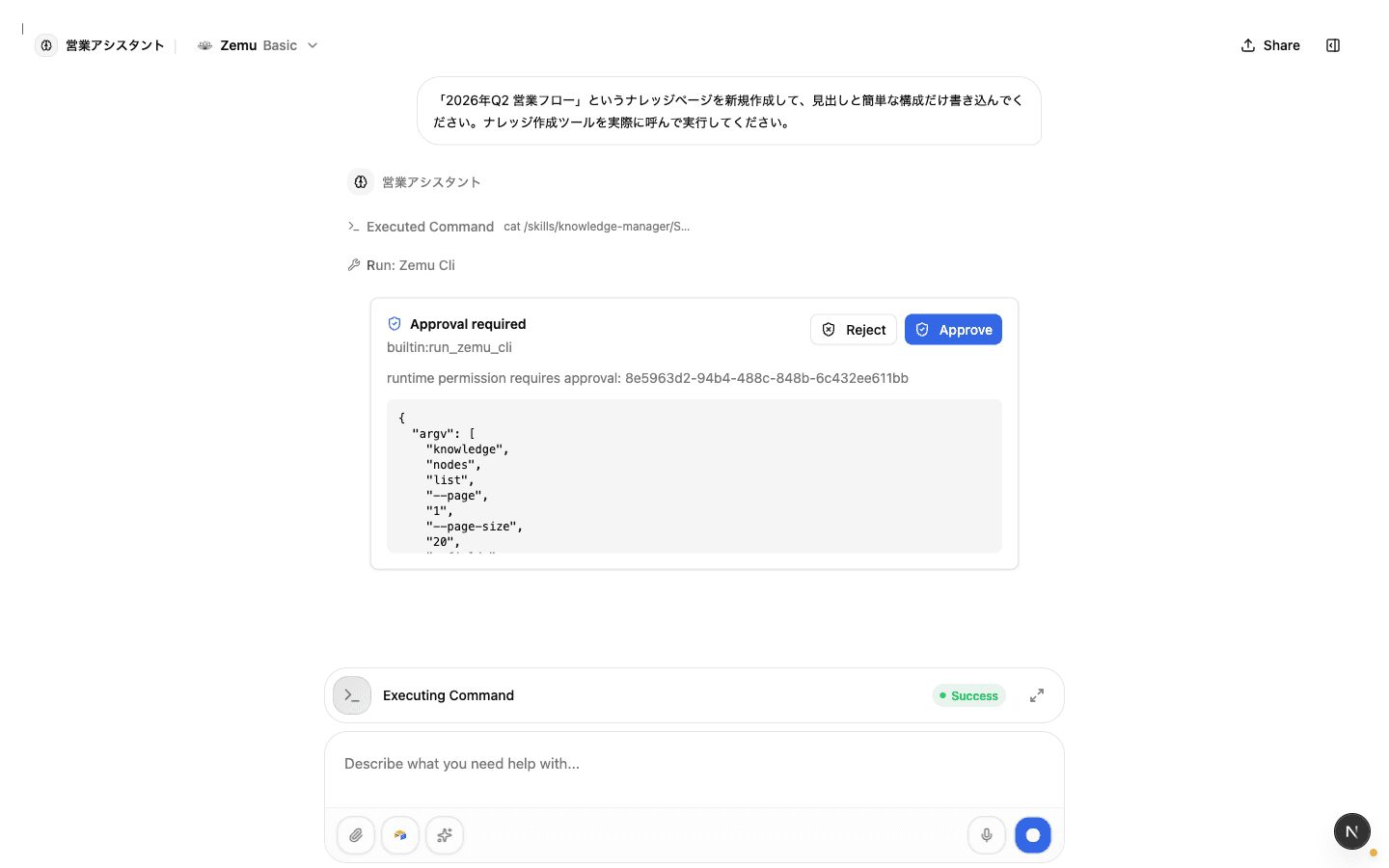
When a worker reaches a tool call that requires approval, the run pauses at that point. A reviewer checks the approval request in the app and chooses Approve or Reject.
Approve lets the worker continue from the paused point. Reject prevents that tool execution, and the worker continues with that outcome. If approval requests are left unattended, the automation remains paused, so important workers should have an explicit reviewer owner.
Balancing automation speed and safety
Tune approval rules by worker purpose.
- Internal research and summarization workers: keep approvals minimal when they mostly read data
- Knowledge maintenance workers: require approval for create, update, and delete operations
- External SaaS operators: require approval for send, delete, publish, and other outward-facing writes
- Workers with administrative meta-skills: be stricter around configuration-changing actions
After configuring a worker, run one representative request and confirm it pauses only where review is actually needed. If it pauses too often, narrow the approval targets. If it never pauses, revisit the allowed tools and approval list.
Checklist
Are only the tools this worker truly needs enabled?
Do irreversible changes, external sends, and actions affecting many people require pre-execution confirmation?
Is there a clear owner who will review approval requests during normal operation?