Back to release notes
v1.1.272026.05
Continuation threads for scheduled triggers and the new /loop command
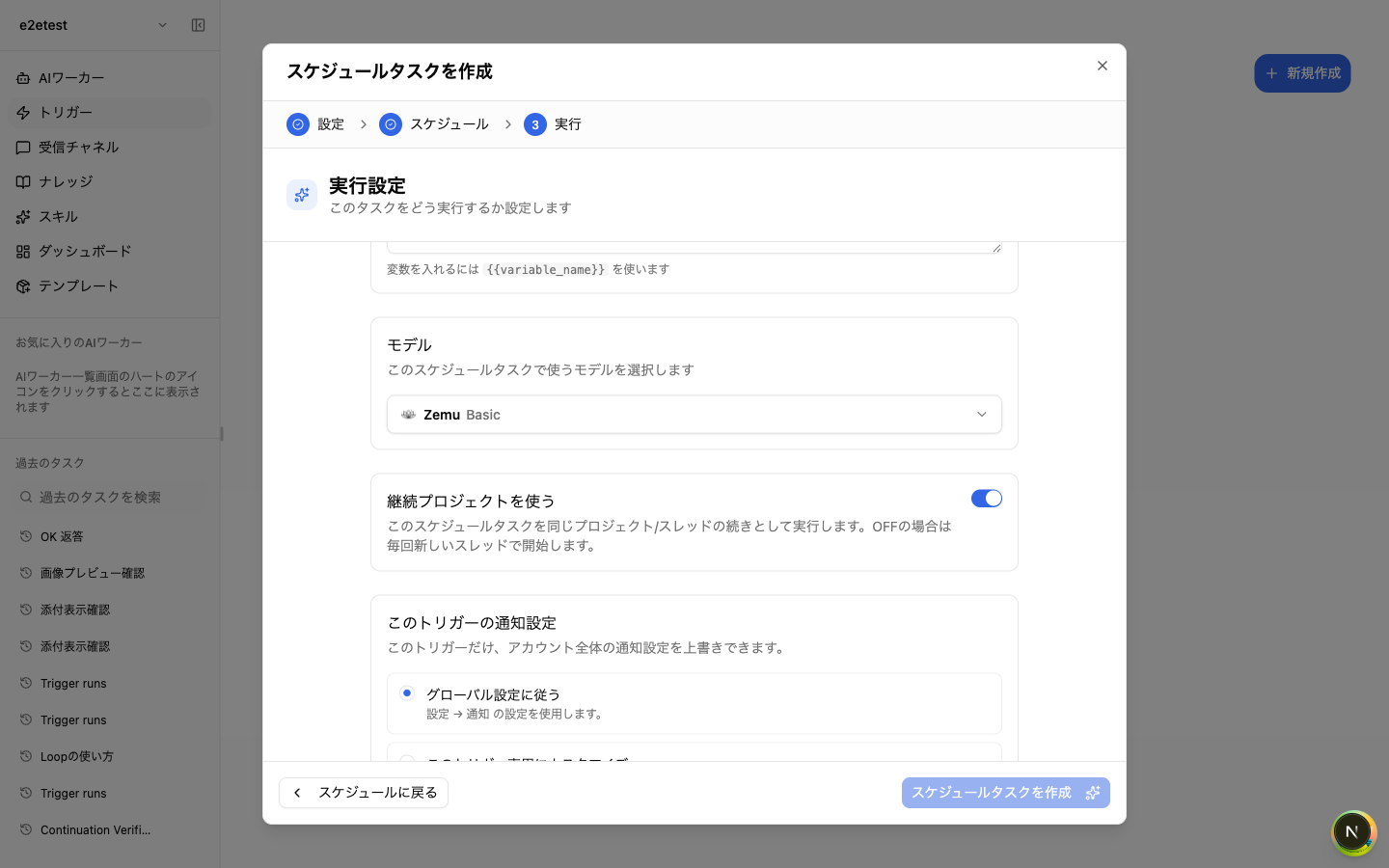
v1.1.27 adds a "Use continuation project" switch to scheduled triggers. When enabled, each scheduled run continues the same thread, which is convenient when you want the next run to build on the previous result — daily reports, periodic checks, and so on. The new `/loop` command lets you create or update an auto-trigger directly from chat. For example, typing "/loop check the sales data every hour" lets the AI confirm the frequency and set up the trigger; when a specific time is given, Zemu auto-detects the timezone as well. Finally, if a previous run of the same trigger is still in progress, the next run is now skipped automatically, so the same workflow no longer runs in parallel by accident.
Screenshots
Changes
Scheduled triggers now support a "Use continuation project" switch. When enabled, each scheduled run continues as a follow-up to the same thread.
You can now create or update scheduled triggers directly from chat by typing `/loop`. The AI confirms frequency, and when a specific time is given, it also detects the timezone.
When a previous run of the same trigger is still in flight, the next run is now skipped automatically — duplicate concurrent executions no longer happen.